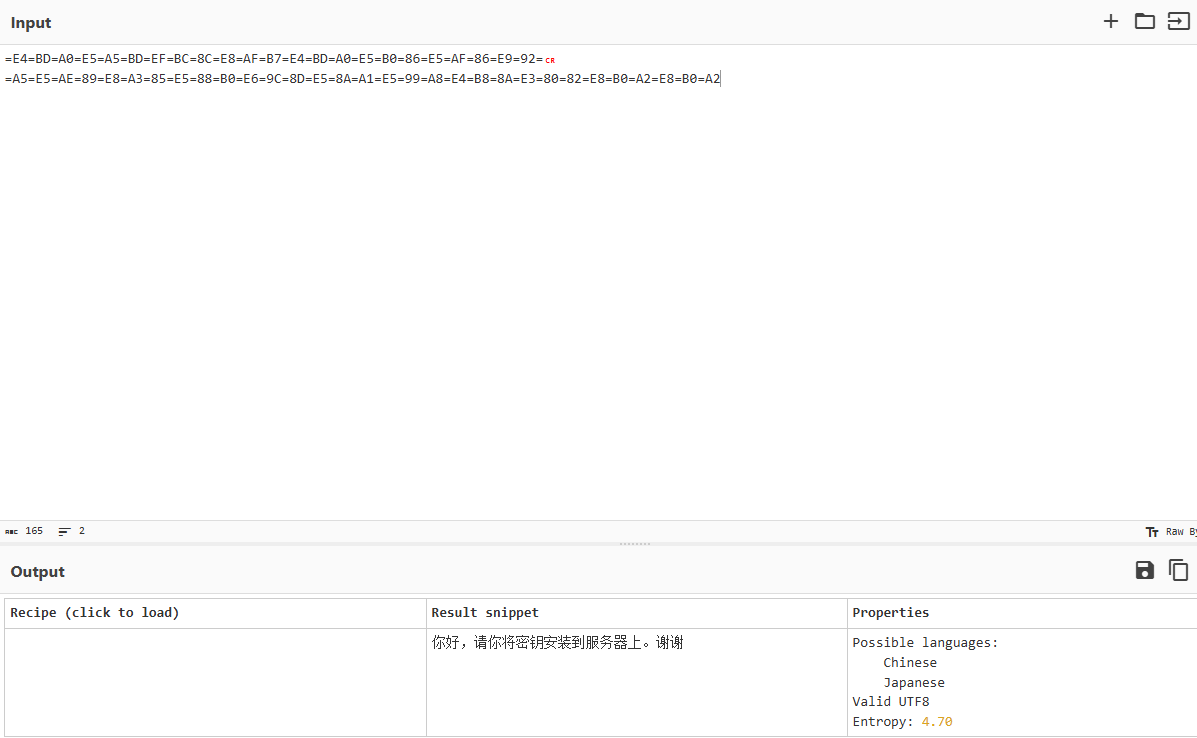
听说你喜欢爆破 题目链接ctf.show
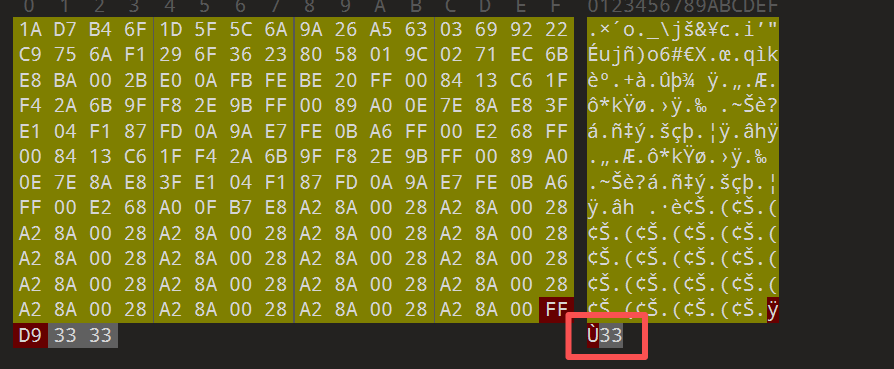
Outguess隐写 尝试密钥123456 拿到题目附件名称是guess.jpg,想到可能是outguess隐写,那提取的密钥是什么呢,先试试弱口令123456再说,但是很明显没有提取出来任何东西。
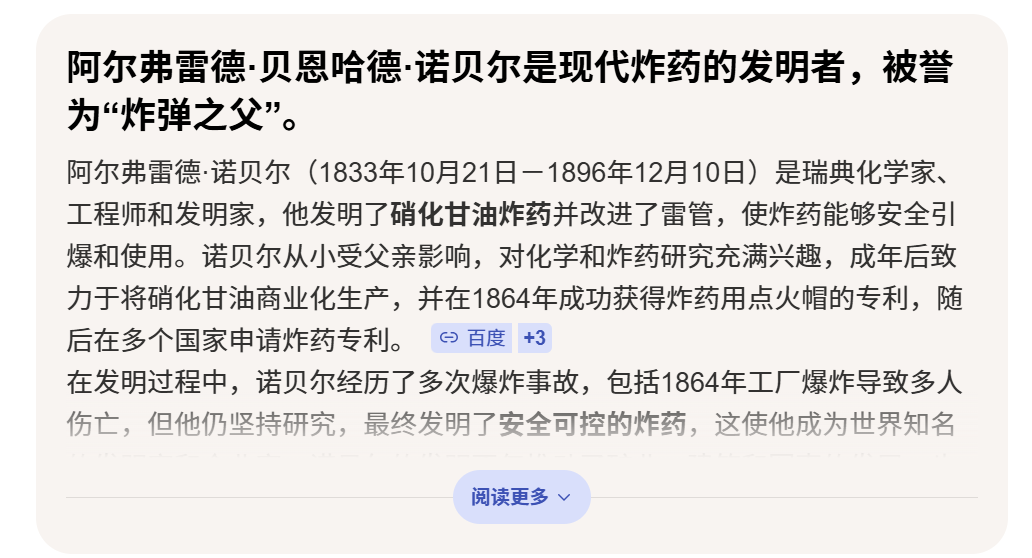
从图片寻找密钥 接着从图片里面找线索,图片主体是炸弹💣,而且发现压缩包的备注是你能猜到这八位数日期吗?,直接在浏览器搜一下炸弹发明人看看能出来哪些日期,一搜就出来了
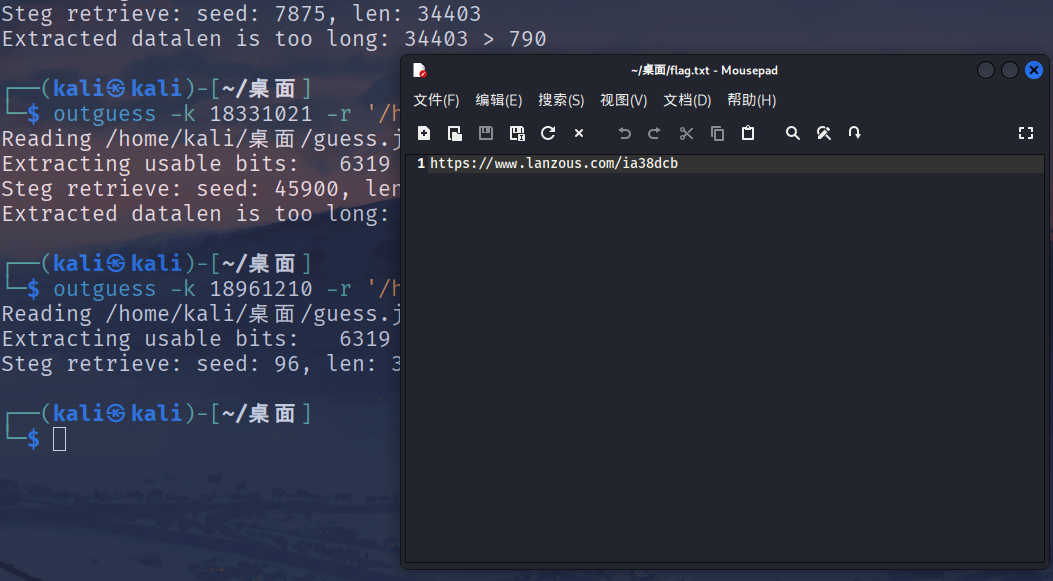
尝试一下18331021,依旧没有提取出任何东西,再尝试一下18961210,提取出来一个蓝奏云下载的链接
1 https://www.lanzous.com/ia38dcb
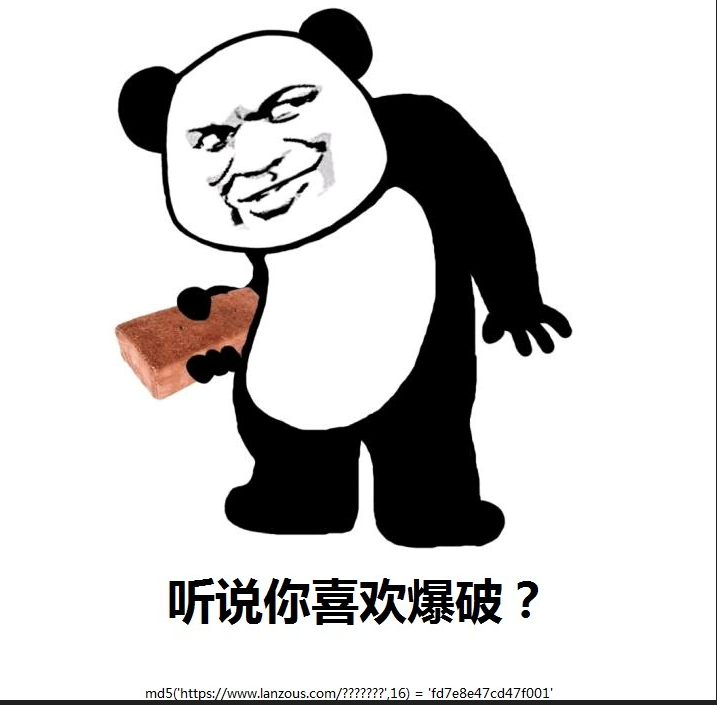
修复宽高 拿到下载的附件后发现是一张小的不行的图片。emm…想都不想直接丢随波逐流,修复宽高后得到一张欠揍的图片
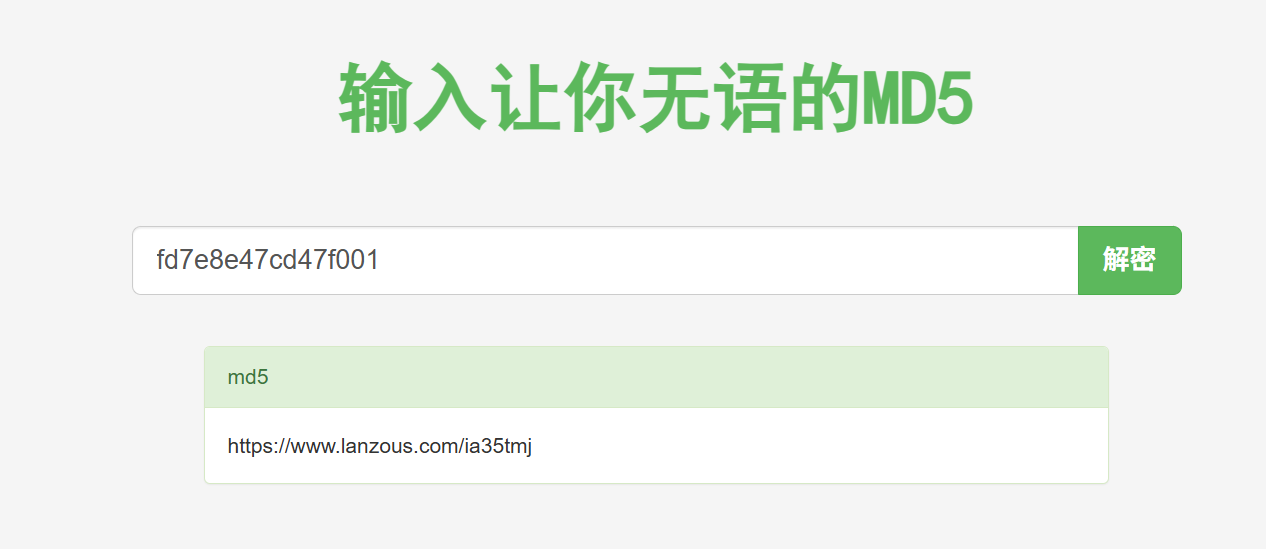
MD5爆破 看图片说是要md5爆破,我们找一个网站直接爆https://www.somd5.com/
得到又是一个蓝奏云链接…
1 https://www.lanzous.com/ia35tmj
rockyou爆破 拿到附件之后打开发现备注写着开始表演,再联系题目听说你喜欢爆破,就接着用rockyou字典进行爆破
1 fcrackzip -v -D -p /usr/share/wordlists/rockyou.txt -u 压缩包名称.zip
得到密钥darkdumymohamed0351409575
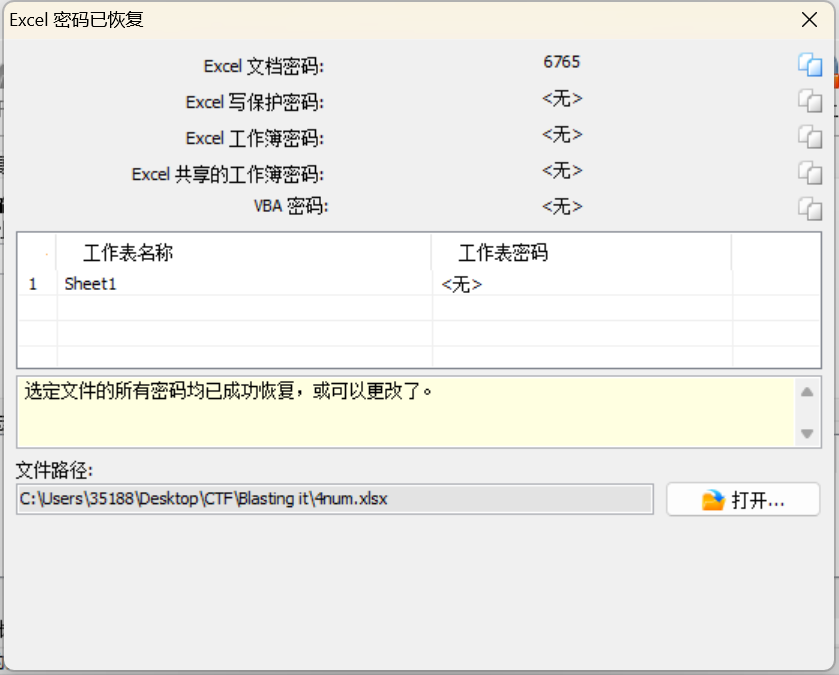
AOPR爆破文件密码 打开excel表格,怎么又是加密啊!看见文件名猜测是4位纯数字密码,用AOPR进行爆破得到密钥6765
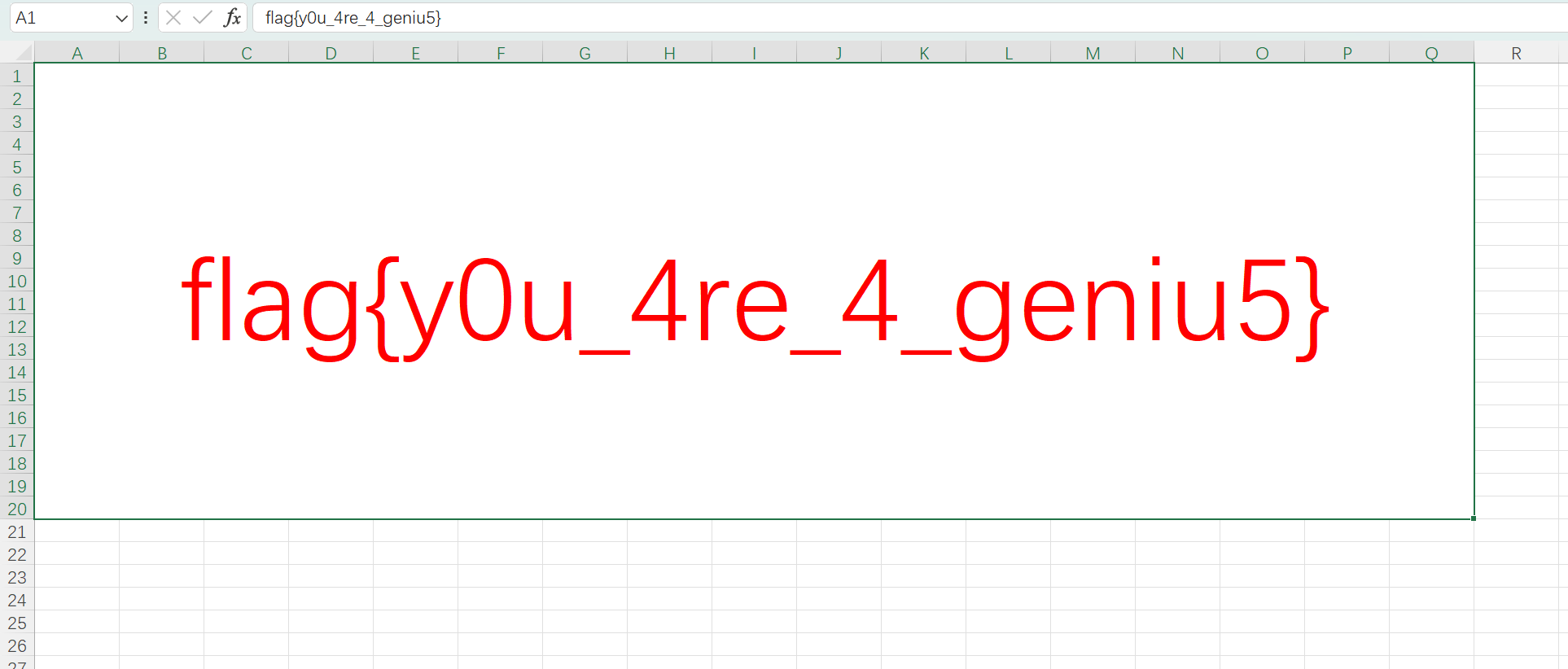
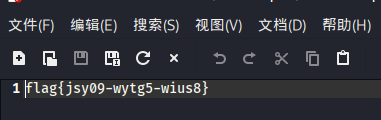
拿到flag! 打开文件后就看见了flag
和36D没关系 题目链接ctf.show
foremost分离 拿到附件是一张png图片,在随波逐流里面发现图片的末尾还包含着另外一张png,尝试用binwalk提取但是失败了,于是用foremost提取出来一张基本上一模一样的图片。
图片转二进制 emm…其实第一反应是双图盲水印,但是我盲水印解密后并不是得到正常图片,而是很多像二维码一样的像素点,我就想是不是可以把这些转换成二进制文本。于是我在网上找到了脚本
1
2
3
4
5
6
7
8
9
10
11
12
13
14
15
16
17
18
19
20
21
22
23
24
from PIL import Imageim1 = Image.open ("2.png" ) im2 = Image.open ("1.png" ) p1 = im1.load() p2 = im2.load() string = "" for i in range (128 ): cnt = 0 for j in range (128 ): r1, g1, b1, a1 = p1[i, j] r2, g2, b2 = p2[i, j] if r2 == r1: string += "0" else : string += "1" f = open ("c.txt" , 'w' , encoding="utf-8" ) f.write(string) f.close()
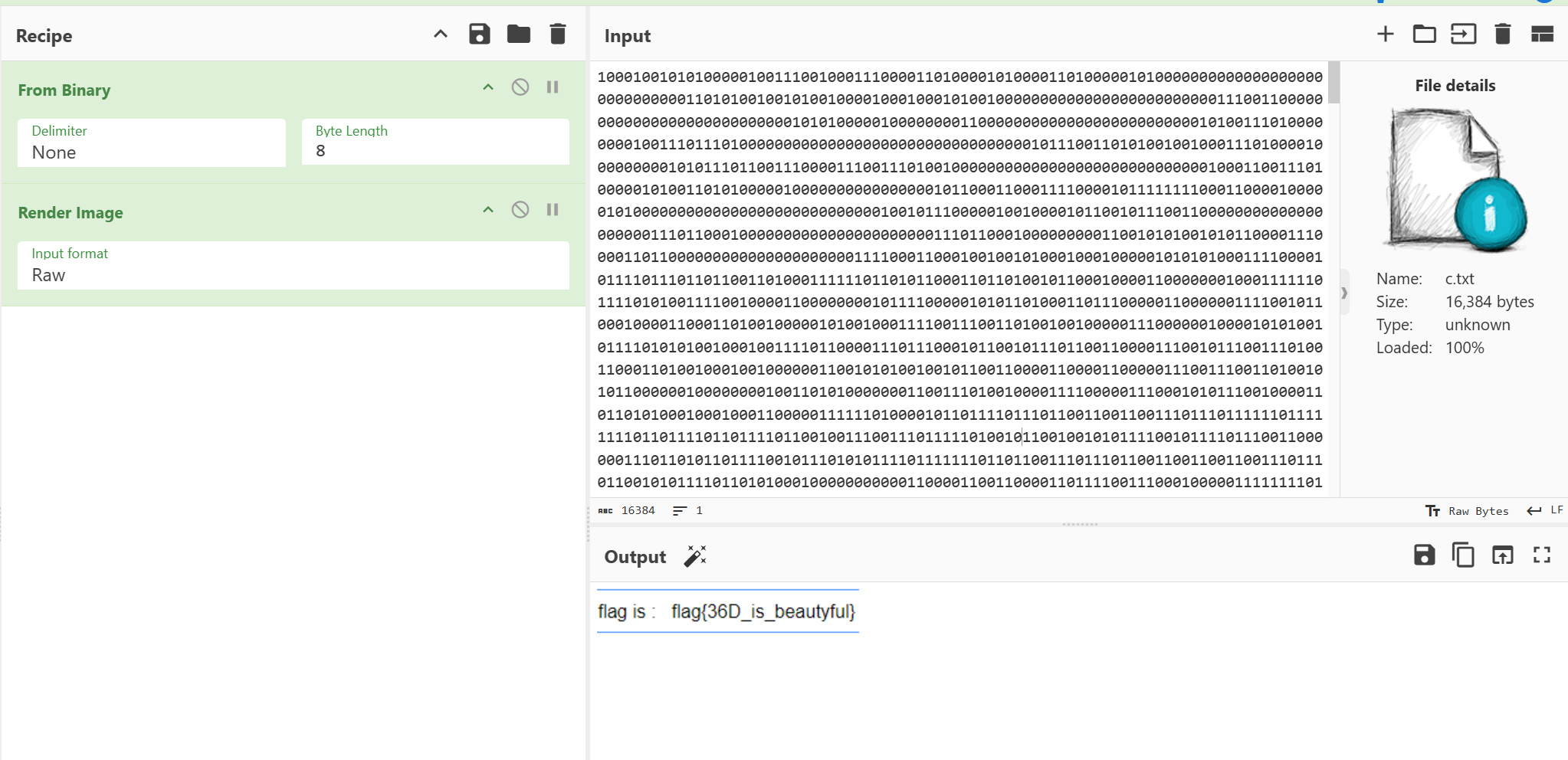
二进制转图片 将得到的txt文件放进cyberchef里面转换直接就得到了一张有flag的png图片。emm…至于flag内容…😏
和36D有关系 题目链接ctf.show
I don‘t know!这题好难啊,怎么找不到一点突破点,我在网上好像找到了出题人的博客,链接我放这里了misc-和36D有点关系 - CTFshow WP
脚本在这里
1
2
3
4
5
6
7
8
9
10
11
12
13
14
15
16
17
18
19
20
21
22
23
24
25
26
27
28
29
30
31
32
33
34
35
36
37
38
39
40
41
42
43
44
45
46
47
48
49
50
51
52
53
54
55
56
57
58
59
60
61
62
63
64
65
66
67
68
69
70
71
72
73
74
75
76
77
78
79
80
81
82
import cv2 as cvimport numpy as npimport osclass FileF : @staticmethod def l2bf (fn='data.txt' , dat=b'' ): if isinstance (dat, list ): bst = bytes (dat) elif isinstance (dat, str ): bst = dat.encode('utf-8' ) else : bst = dat with open (fn, 'wb' ) as f: f.write(bst) print (f"[+] 文件已保存至: {fn} " ) class PicBits : def __init__ (self, fn='' ): self .img = cv.imread(fn) if self .img is None : raise FileNotFoundError(f"无法读取图片,请检查路径: {fn} " ) self .fn = fn def getxy (self, x=0 , y=0 ): height, width = self .img.shape[:2 ] return self .img[y % height, x % width] class CharF : @staticmethod def SplitByLen (t="" , l=8 , instr=" " ): if l < 1 : return t return instr.join([t[i:i+l] for i in range (0 , len (t), l)]) @staticmethod def str2num (txt="0" , split=' ' , bs=16 , spl=0 ): if spl != 0 : numl = [txt[i:i+spl] for i in range (0 , len (txt), spl)] else : numl = txt.split(split) retl = [] for i in numl: if i.strip(): retl.append(int (i, bs)) return retl def dec (): input_path = r"your_path" output_path = r"your_path" if not os.path.exists(input_path): print (f"[-] 错误:找不到图片 {input_path} " ) return yt = PicBits(input_path) bits = "" print ("[*] 正在提取比特流..." ) for i in range (128 ): for j in range (128 ): c = yt.getxy(127 -i, 127 -j) bit = (int (c[0 ]) ^ int (c[1 ]) ^ int (c[2 ])) & 1 bits += str (bit) print ("[*] 正在转换比特流为字节..." ) byte_list = CharF.str2num(bits, bs=2 , spl=8 ) FileF.l2bf(output_path, byte_list) if __name__ == "__main__" : dec()
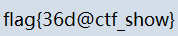
运行脚本后得到flag的图片,膜拜大佬!
红包题 凌波微步 题目链接[ctf.show](https://ctf.show/challenges#红包题 凌波微步-286)
拿到题目附件,何意味呢?!misc给我上逆向题,用ida打开看看,好,我根本看不懂(≧﹏ ≦)
看这个exe好像是用python打包出来的,那我们用pyinstxtractor.py提取一下里面的东西喽,把它的pyc文件搞出来。pyinstxtractor.py的安装教程看这个链接https://sonh66.github.io/2026/04/08/python-exe-unpacker%E5%AE%89%E8%A3%85%E6%95%99%E7%A8%8B/
提取出来后发现一个叫ctfshow的文件里面有相关信息
再根据.pyc文件反编译出来的.py编写脚本
1
2
3
4
5
6
7
8
9
10
11
12
13
14
15
16
17
18
19
20
def decrypt_flag (): ciphertext = "M2gf`2t_short_y0u_nedc^Oxsg/m" flag = "" for i in range (7 ): flag += chr (ord (ciphertext[i]) - 1 ) for i in range (7 , 20 ): flag += ciphertext[i] for i in range (20 , len (ciphertext)): flag += chr (ord (ciphertext[i]) + 1 ) return "flag{" + flag + "}" print (decrypt_flag())
运行得到flag
1 flag{L1fe_1s_short_y0u_need_Pyth0n}
喵喵喵 题目链接BUUCTF在线评测
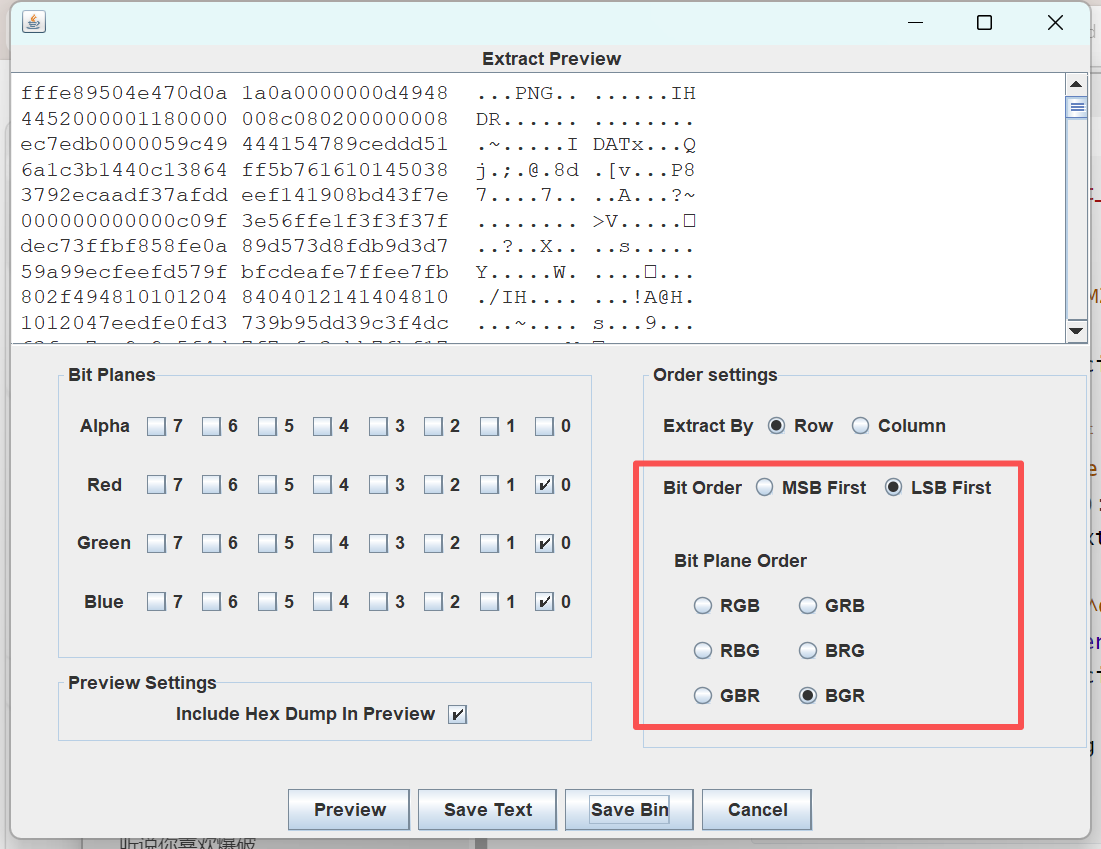
图片隐写 拿到附件是一只好看的猫咪,binwalk跟foremost都没有搞出什么来,用stegsolve看看各个通道的图片,发现有异常!尝试提取数据,反复调试后发现一张png!(出题人有点难搞啊,这个参数调了我半天)
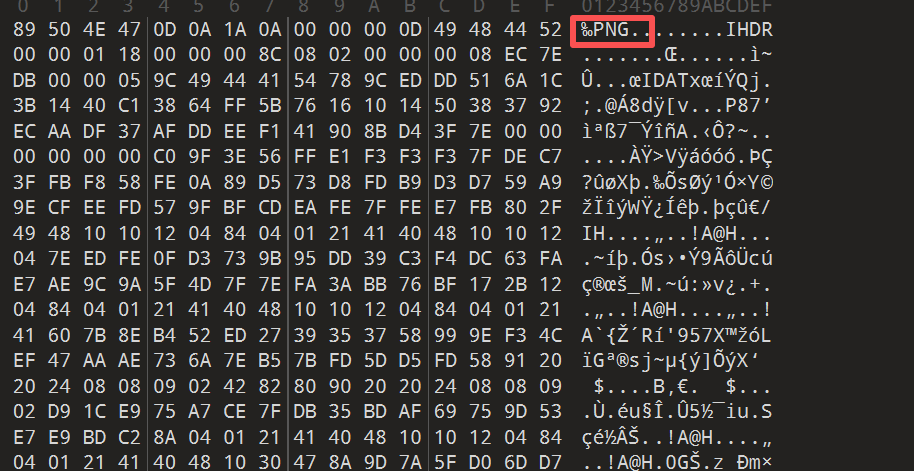
修改文件头 拿到的图片依旧是打不开的,用010打开发现文件头和尾部都有不干净的东西,把那些通通删掉,图片可以正常显示。
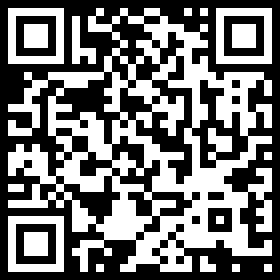
修改图片宽高 图片正常打开后发现是一半的二维码,那我们接着用随波逐流改写一下宽高试试看能不能得到完整的二维码,直接拿到完整二维码
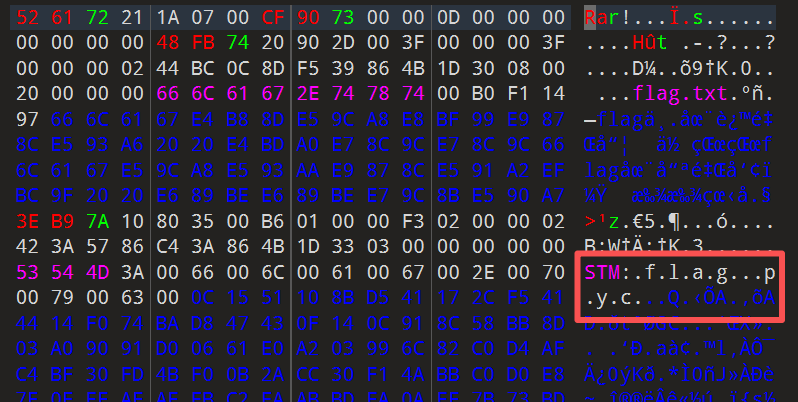
NTFS流隐写 拿到二维码之后我以为我这道题做完了,但是这题并不是,我扫描后发现是一个百度网盘的链接,又下载下来一个.rar,打开后是一个flag.txt,里面的内容却是
1 flag不在这里哦 你猜猜flag在哪里呢? 找找看吧
何意味啊?找了一圈在010里面看到有flag.pyc,无敌了,又是这个ntfs,放进工具里面提取出来flag.pyc。
反编译pyc 提取出来pyc文件后去在线网站(python反编译 - 在线工具 )反编译一下得到py文件,再根据py文件编写脚本
1 2 3 4 5 6 7 8 9 10 11 12 13 14 15 16 17 18 19 20 21 22 23 24 25 26 27 28 29 30 31 32 33 34 35 36 37 38 39 40 41 42 import base64def encode (): flag = '*************' ciphertext = [] for i in range (len (flag)): s = chr (i ^ ord (flag[i])) if i % 2 == 0 : s = ord (s) + 10 else : s = ord (s) - 10 ciphertext.append(str (s)) return ciphertext[::-1 ] ciphertext = [ '96' , '65' , '93' , '123' , '91' , '97' , '22' , '93' , '70' , '102' , '94' , '132' , '46' , '112' , '64' , '97' , '88' , '80' , '82' , '137' , '90' , '109' , '99' , '112' ]
1
2
3
4
5
6
7
8
9
10
11
12
13
14
15
16
17
18
19
20
21
22
23
24
25
26
27
28
ciphertext = [ '96' , '65' , '93' , '123' , '91' , '97' , '22' , '93' , '70' , '102' , '94' , '132' , '46' , '112' , '64' , '97' , '88' , '80' , '82' , '137' , '90' , '109' , '99' , '112' ] def decode (ct ): ct = ct[::-1 ] flag = "" for i in range (len (ct)): s = int (ct[i]) if i % 2 == 0 : s -= 10 else : s += 10 char_code = s ^ i flag += chr (char_code) return flag print ("解密后的 flag 为:" , decode(ciphertext))
运行得到flag
1 flag{Y@e_Cl3veR_C1Ever!}
吹着贝斯扫二维码 题目链接[BUUCTF在线评测](https://buuoj.cn/challenges#[安洵杯 2019]吹着贝斯扫二维码)
拿到附件,发现里面有很多未知文件类型的文件和一个叫flag.zip的压缩包。
修改文件后缀 在010里面看一下发现那些文件其实是jpg,先试试改一个看看是什么玩意,发现其实是二维码的一部分,于是准备将剩下的全部改成jpg文件,但是看了一下一共有36张啊,直接写脚本改
1
2
3
4
5
6
7
8
9
10
11
12
13
14
15
16
17
18
19
20
21
22
23
24
25
26
27
28
29
30
31
32
33
34
import osfolder_path = r"your_path" def rename_files_to_jpg (path ): if not os.path.exists(path): print (f"错误:找不到路径 {path} " ) return count = 0 for filename in os.listdir(path): old_file = os.path.join(path, filename) if os.path.isfile(old_file): new_file = os.path.join(path, os.path.splitext(filename)[0 ] + ".jpg" ) try : os.rename(old_file, new_file) print (f"已重命名: {filename} -> {os.path.basename(new_file)} " ) count += 1 except Exception as e: print (f"重命名 {filename} 时出错: {e} " ) print (f"\n任务完成!共处理了 {count} 个文件。" ) if __name__ == "__main__" : rename_files_to_jpg(folder_path)
对图片排序 那么问题又来了,怎么确定这36张图片的顺序呢?用010打开那些图片看看,发现图片尾部是有编号的,按照这些编号对这些图片再进行排序。
拼接二维码 接着用脚本将这些二维码按照6乘6的顺序拼接起来
1
2
3
4
5
6
7
8
9
10
11
12
13
14
15
16
17
18
19
20
21
22
23
24
25
26
27
28
29
30
31
32
33
34
35
36
37
38
39
40
41
42
43
44
45
46
47
48
49
import osfrom PIL import Imagefolder_path = r"your_path" output_path = os.path.join(folder_path, "result.jpg" ) def merge_images (): rows = 6 cols = 6 try : first_img = Image.open (os.path.join(folder_path, "1.jpg" )) w, h = first_img.size except FileNotFoundError: print ("错误:找不到 1.jpg,请检查路径和文件名。" ) return canvas = Image.new('RGB' , (cols * w, rows * h), (255 , 255 , 255 )) print ("开始拼图..." ) for i in range (1 , 37 ): row = (i - 1 ) // cols col = (i - 1 ) % cols img_name = f"{i} .jpg" img_path = os.path.join(folder_path, img_name) if os.path.exists(img_path): img = Image.open (img_path) canvas.paste(img, (col * w, row * h)) print (f"已放入: {img_name} " ) else : print (f"警告:缺失文件 {img_name} " ) canvas.save(output_path) print (f"\n拼图完成!结果已保存至: {output_path} " ) canvas.show() if __name__ == "__main__" : merge_images()
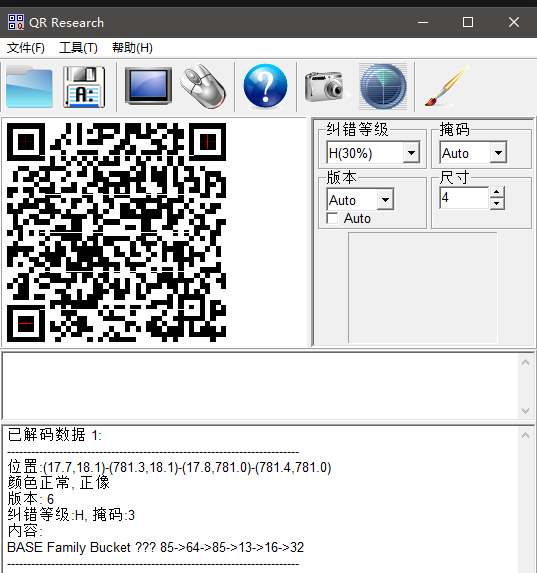
解码密文 扫描二维码发现是给我们解码的顺序
我们在zip末尾看见了一串密文,按照二维码的解码顺序解码
1 GNATOMJVIQZUKNJXGRCTGNRTGI3EMNZTGNBTKRJWGI2UIMRRGNBDEQZWGI3DKMSFGNCDMRJTII3TMNBQGM4TERRTGEZTOMRXGQYDGOBWGI2DCNBY
解码后得到的应该就是压缩包的密钥ThisIsSecret!233
1
2
3
4
5
6
7
8
9
10
11
12
13
14
15
16
17
18
19
20
21
22
23
24
25
26
27
28
29
30
31
32
33
34
35
36
37
38
39
40
41
42
43
44
45
46
47
48
49
50
51
52
53
54
import base64import codecsimport recipher_text = "GNATOMJVIQZUKNJXGRCTGNRTGI3EMNZTGNBTKRJWGI2UIMRRGNBDEQZWGI3DKMSFGNCDMRJTII3TMNBQGM4TERRTGEZTOMRXGQYDGOBWGI2DCNBY" def rot13 (text ): return codecs.encode(text, 'rot_13' ) def decode_base85 (text ): try : return base64.b85decode(text).decode('utf-8' ) except : return base64.a85decode(text).decode('utf-8' ) def solve (): data = cipher_text print (f"原始数据: {data} \n" ) try : data = base64.b32decode(data).decode('utf-8' ) print (f"Step 1 (Base32): {data} " ) data = bytes .fromhex(data).decode('utf-8' ) print (f"Step 2 (Base16): {data} " ) data = rot13(data) print (f"Step 3 (ROT13): {data} " ) data = decode_base85(data) print (f"Step 4 (Base85): {data} " ) data = base64.b64decode(data).decode('utf-8' ) print (f"Step 5 (Base64): {data} " ) data = decode_base85(data) print (f"Step 6 (Base85): {data} " ) except Exception as e: print (f"\n[!] 解码中断: {e} " ) print ("提示:请检查编码顺序是否正确,或者某一层是否包含特殊字符。" ) if __name__ == "__main__" : solve()
用密钥打开压缩包拿到flag
弱口令 题目链接BUUCTF在线评测
拿到题目附件,仔细看了一下。也没啥啊,就是一张图片然后加密了,看了一下也不是伪加密,我尝试了暴力破解但是失败了
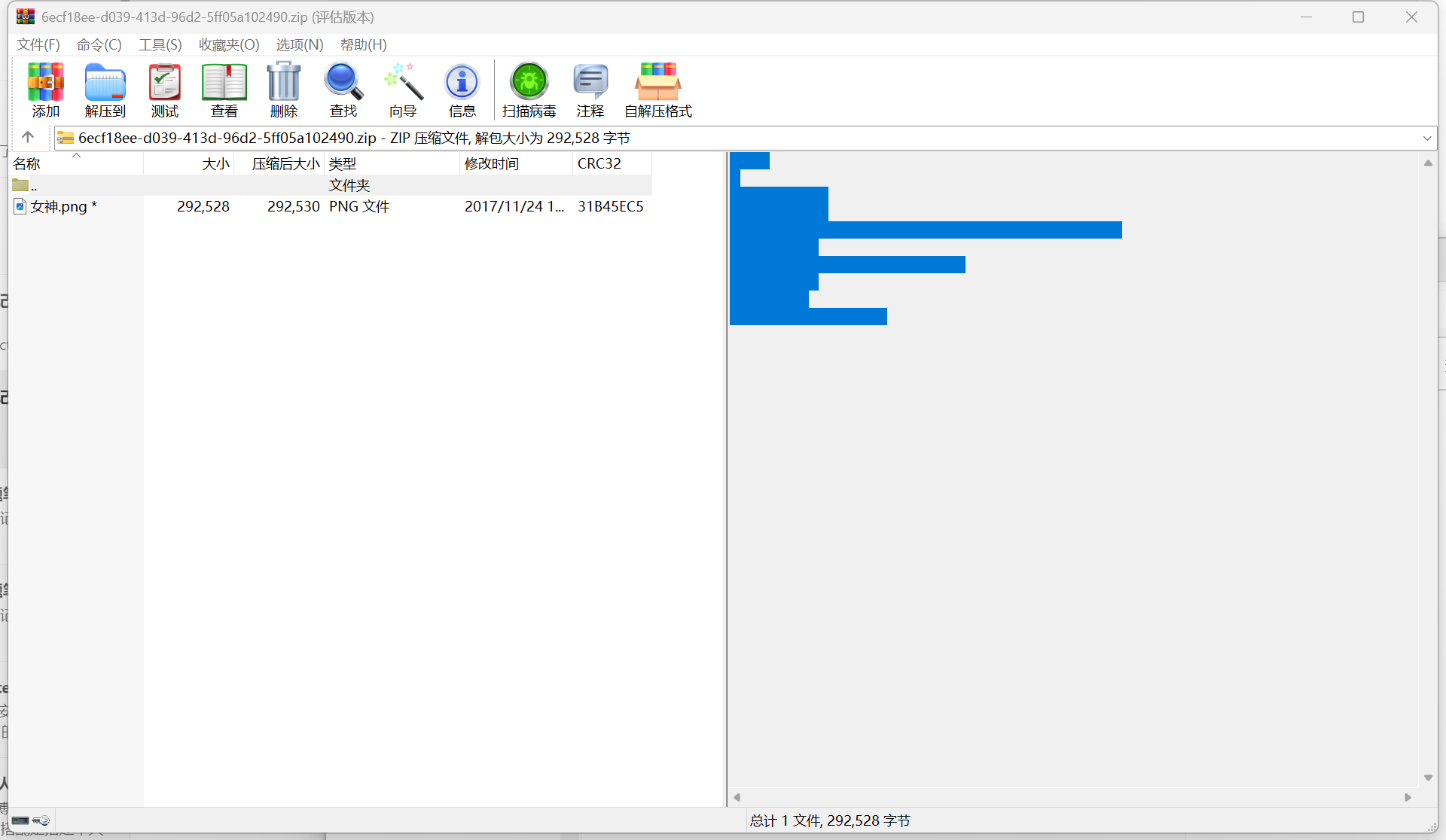
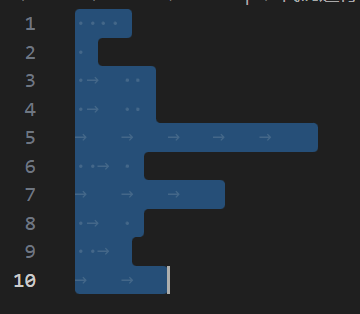
摩斯密码 这题有点鸡贼,用WinRAR打开压缩包,虽然看着注释栏没有什么东西,但是把那里的东西复制下来在vscode里面看是有东西的
把这些.→转换成摩斯密码(老把戏我第三次见了)
1 .... . .-.. .-.. ----- ..-. --- .-. ..- --
经过解密后得到密钥打开了图片
LSB隐写 这次要用到一个叫Cloacked-pixel-master的工具,安装教程见这个链接
https://sonh66.github.io/2026/04/09/cloacked-pixel-master/
题目也提示我们用弱口令了,最常见的弱口令不就是123456吗,那我们用lsb.py提取出来隐写的内容,运行如下命令
1 python2 lsb.py extract 女神.png 1.txt 123456
打开提取出来的内容就可以拿到flag
流量分析 题目链接BUUCTF在线评测
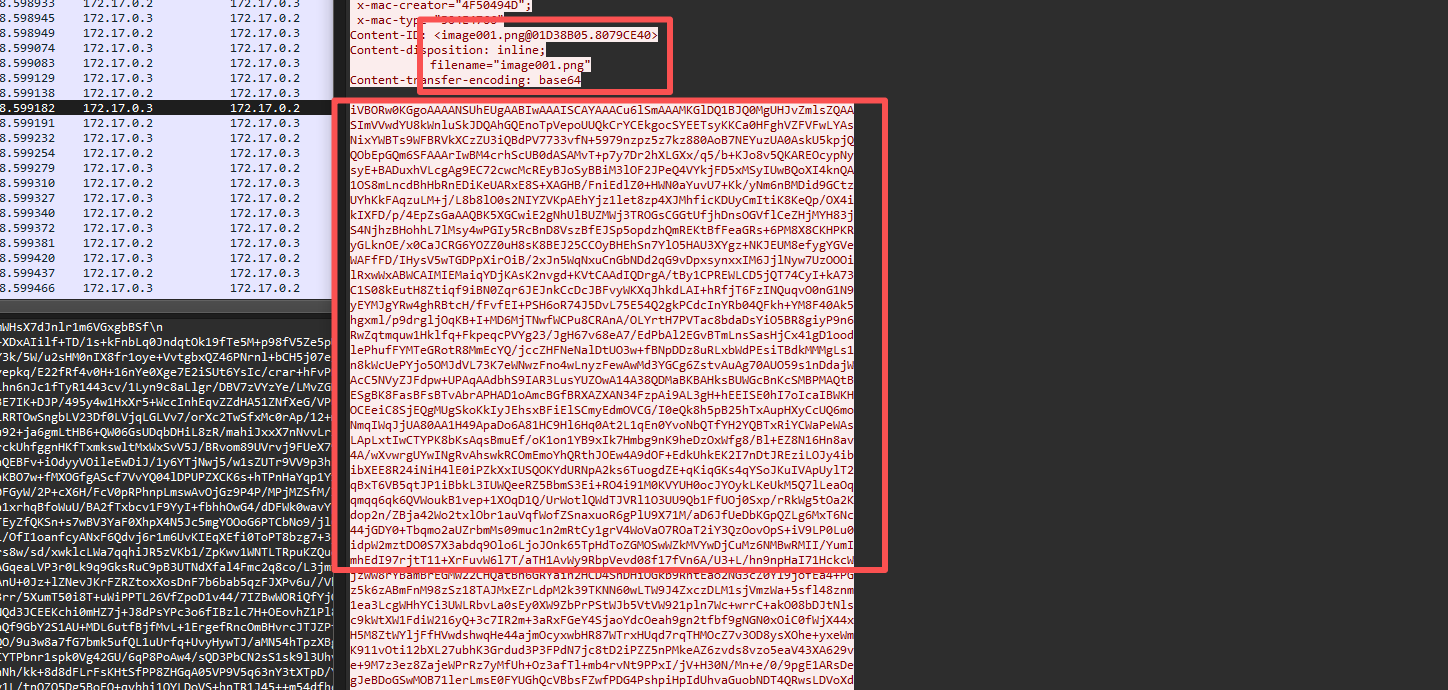
提取png 在Wireshark里面我们可以看到疑似是以base64传输了一张图片
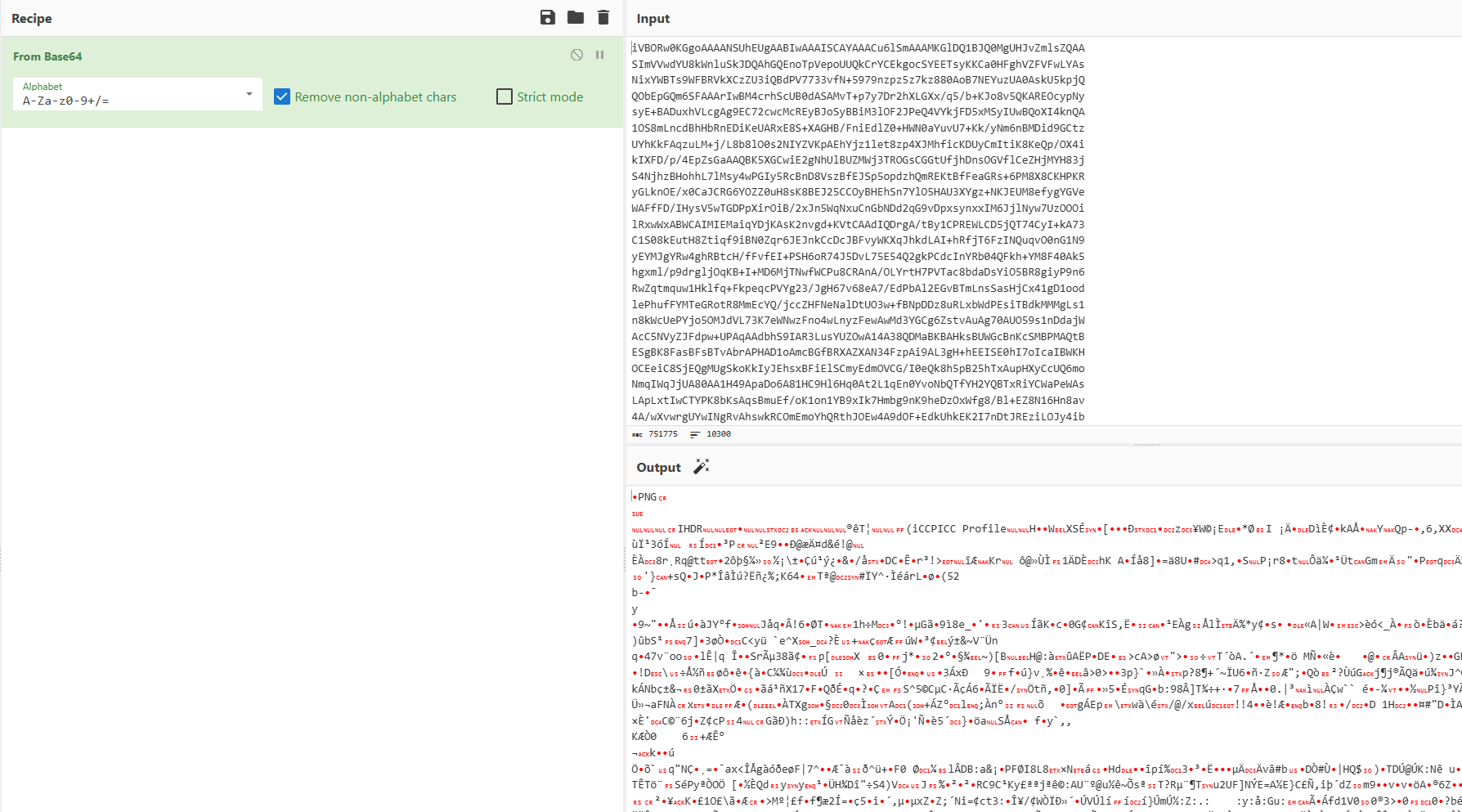
把数据导出,然后用cyberchef转换为png
得到的不知道是啥玩意,怎么又是一段密文?
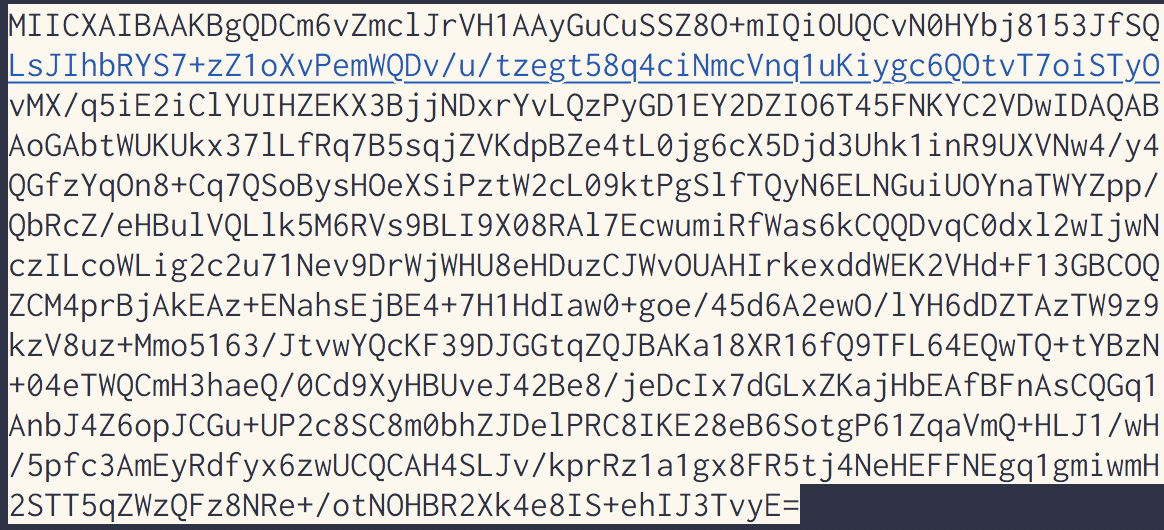
构造私钥 在刚刚那段base64前面还看到一段奇奇怪怪的内容,我们拿去解码发现是要我们构造密钥
想到附件里面给的密钥格式,我们接着把刚刚图片中的密文套上格式
1
2
3
4
5
6
7
8
9
10
11
12
13
14
15
-----BEGIN RSA PRIVATE KEY----- MIICXAIBAAKBgQDCm6vZmclJrVH1AAyGuCuSSZ8O+mIQiOUQCvN0HYbj8153JfSQ LsJIhbRYS7+zZ1oXvPemWQDv/u/tzegt58q4ciNmcVnq1uKiygc6QOtvT7oiSTyO vMX/q5iE2iClYUIHZEKX3BjjNDxrYvLQzPyGD1EY2DZIO6T45FNKYC2VDwIDAQAB AoGAbtWUKUkx37lLfRq7B5sqjZVKdpBZe4tL0jg6cX5Djd3Uhk1inR9UXVNw4/y4 QGfzYqOn8+Cq7QSoBysHOeXSiPztW2cL09ktPgSlfTQyN6ELNGuiUOYnaTWYZpp/ QbRcZ/eHBulVQLlk5M6RVs9BLI9X08RAl7EcwumiRfWas6kCQQDvqC0dxl2wIjwN czILcoWLig2c2u71Nev9DrWjWHU8eHDuzCJWvOUAHIrkexddWEK2VHd+F13GBCOQ ZCM4prBjAkEAz+ENahsEjBE4+7H1HdIaw0+goe/45d6A2ewO/lYH6dDZTAzTW9z9 kzV8uz+Mmo5163/JtvwYQcKF39DJGGtqZQJBAKa18XR16fQ9TFL64EQwTQ+tYBzN +04eTWQCmH3haeQ/0Cd9XyHBUveJ42Be8/jeDcIx7dGLxZKajHbEAfBFnAsCQGq1 AnbJ4Z6opJCGu+UP2c8SC8m0bhZJDelPRC8IKE28eB6SotgP61ZqaVmQ+HLJ1/wH /5pfc3AmEyRdfyx6zwUCQCAH4SLJv/kprRz1a1gx8FR5tj4NeHEFFNEgq1gmiwmH 2STT5qZWzQFz8NRe+/otNOHBR2Xk4e8IS+ehIJ3TvyE= -----END RSA PRIVATE KEY-----
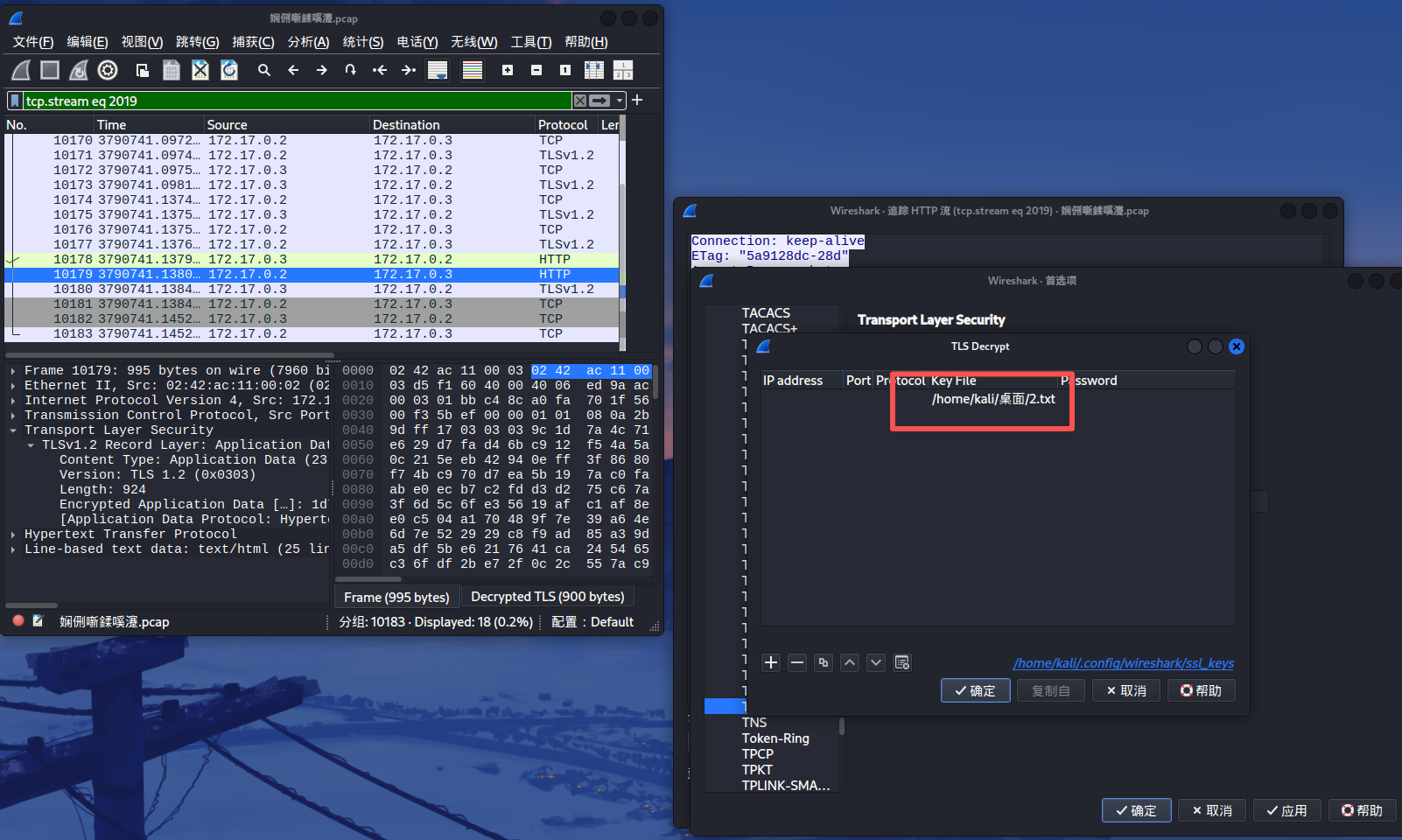
上传密钥 接着把刚刚构造的密文导入cyberchef
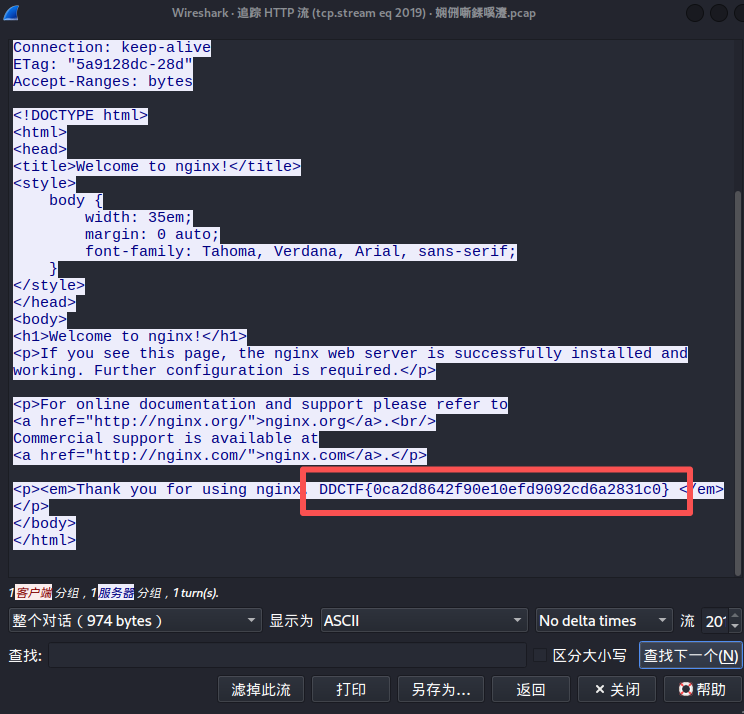
导入后将http流过滤出来就可以看见flag了
1 DDCTF{0ca2d8642f90e10efd9092cd6a2831c0}
Mysterious 题目链接BUUCTF在线评测
使用 IDA Pro 打开程序,从入口点 start 函数逐步跟进,找到真正的 WinMain 函数:
1
2
3
4
5
int __stdcall WinMain (HINSTANCE hInstance, HINSTANCE hPrevInstance, LPSTR lpCmdLine, int nShowCmd) { DialogBoxParamA(hInstance, (LPCSTR)0x65 , 0 , DialogFunc, 0 ); return 0 ; }
可见程序创建了一个对话框资源(ID: 0x65),其消息处理函数为 DialogFunc。通过 thunk 跳转后,进入真正的对话框处理函数 DialogFunc_0。
在 DialogFunc_0 中,按下 F5 生成伪代码,截取核心逻辑如下:
1
2
3
4
5
6
7
8
9
10
11
12
13
14
15
16
17
18
19
20
21
22
23
24
25
26
27
28
29
30
31
32
int __stdcall DialogFunc_0 (HWND hWnd, int n273, int n1000, int a4) { int n122; char String[260 ]; if ( n273 == 273 ) { if ( n1000 == 1000 ) { GetDlgItemTextA(hWnd, 1002 , String, 260 ); if ( strlen (String) > 6 ) ExitProcess(0 ); n122 = atoi(String); Value = n122 + 1 ; if ( n122 == 122 && String[3 ] == 120 && String[5 ] == 122 && String[4 ] == 121 ) { strcpy (Text, "flag" ); _itoa(Value, Source, 10 ); strcat (Text, "{" ); strcat (Text, Source); strcat (Text, "_" ); strcat (Text, "Buff3r_0v3rf|0w" ); strcat (Text, "}" ); MessageBoxA(0 , Text, "well done" , 0 ); } } } return 0 ; }
从输入框(控件 ID: 1002)获取字符串。
输入长度必须 ≤ 6,否则程序直接退出。
条件
含义
n122 == 122atoi(String) 的结果必须为 122
String[3] == 120字符串第 4 个字符(索引 3)为 'x'
String[4] == 121字符串第 5 个字符为 'y'
String[5] == 122字符串第 6 个字符为 'z'
由于 atoi 会从字符串开头提取数字,直到遇到非数字字符。因此,要满足 atoi 结果为 122,前三个字符应为 "122"。结合字符索引条件,整个字符串恰好为 122xyz
当输入校验通过后,程序执行以下拼接操作:
初始化字符串 "flag"
将 Value = n122 + 1 = 123 转换为十进制字符串 "123"
按顺序拼接:"{" + "123" + "_" + "Buff3r_0v3rf|0w" + "}"
最终得到 Flag:
1 flag{123_Buff3r_0v3rf|0w}
zips 题目链接BUUCTF在线评测
crc爆破 拿到附件发现里面好多zip,还真是zips啊!打开看一下,发现里面的内容还被加密了,没招了要我一个一个爆破吗?!emm…仔细看看,貌似不用哦~全部文件都是很小的,是不是可以试试看crc爆破呢🤔话不多说,直接上脚本!用脚本把文本内容爆破出来顺便拼接好
1
2
3
4
5
6
7
8
9
10
11
12
13
14
15
16
17
18
19
20
21
22
23
24
25
26
27
28
29
30
31
32
33
34
35
36
37
38
39
40
41
42
43
44
45
46
47
48
49
50
51
52
53
54
55
56
57
58
59
60
import zipfileimport stringimport binasciiimport osfolder_path = r"file" file_prefix = "out" file_count = 68 char_set = string.printable def crack_crc (): final_result = "" for i in range (file_count): file_name = f"{file_prefix} {i} .zip" file_full_path = os.path.join(folder_path, file_name) if not os.path.exists(file_full_path): print (f"[!] 文件不存在: {file_name} " ) continue try : with zipfile.ZipFile(file_full_path, 'r' ) as zf: info = zf.infolist()[0 ] target_crc = info.CRC print (f"[*] 正在爆破 {file_name} , 目标 CRC: {hex (target_crc)} " ) found = False for a in char_set: for b in char_set: for c in char_set: for d in char_set: payload = (a + b + c + d).encode() if (binascii.crc32(payload) & 0xffffffff ) == target_crc: print (f"[+] 找到匹配: {a+b+c+d} " ) final_result += (a + b + c + d) found = True break if found: break if found: break if found: break if not found: print (f"[-] 文件 {file_name} 未能爆破出结果" ) except Exception as e: print (f"[!] 处理 {file_name} 时出错: {e} " ) print ("\n" + "=" *20 ) print (f"最终拼接结果: {final_result} " ) print ("=" *20 ) if __name__ == "__main__" : crack_crc()
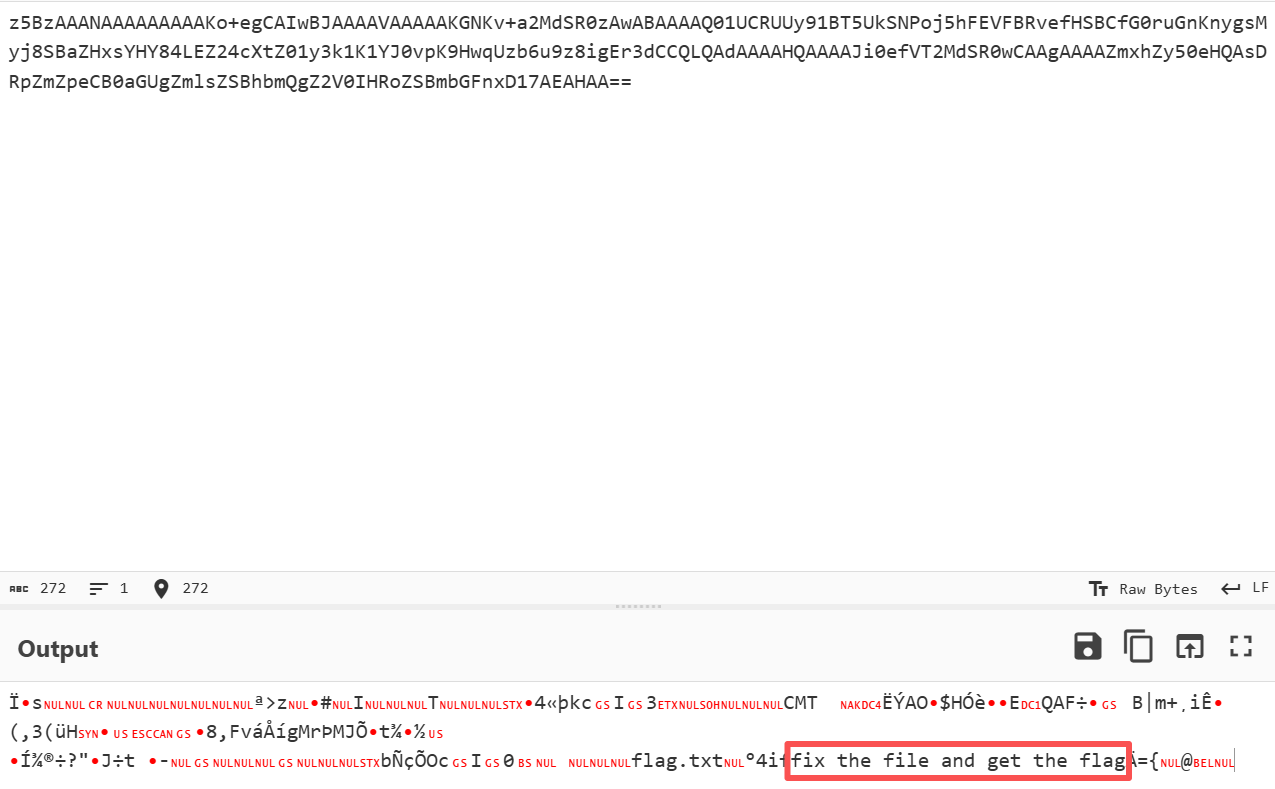
跑出来的看起来又是一段base64,依旧cyberchef
1 z5BzAAANAAAAAAAAAKo+egCAIwBJAAAAVAAAAAKGNKv+a2MdSR0zAwABAAAAQ01UCRUUy91BT5UkSNPoj5hFEVFBRvefHSBCfG0ruGnKnygsMyj8SBaZHxsYHY84LEZ24cXtZ01y3k1K1YJ0vpK9HwqUzb6u9z8igEr3dCCQLQAdAAAAHQAAAAJi0efVT2MdSR0wCAAgAAAAZmxhZy50eHQAsDRpZmZpeCB0aGUgZmlsZSBhbmQgZ2V0IHRoZSBmbGFnxD17AEAHAA==
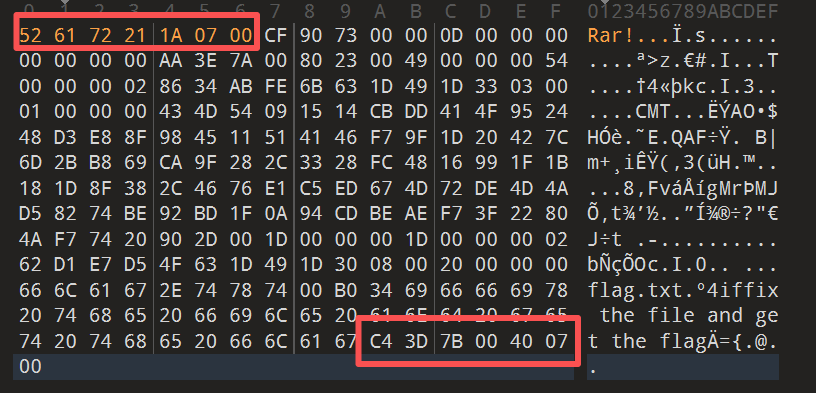
修复文件 在cyberchef里面处理后,虽然没有得到什么明显的信息,但是确实是有hint的,可以看到fix the file and get the flag
那我们直接把这个输出保存下来看看,看了一下这个文件的文件尾是rar的形式,但是文件头没了,那我们把文件头补上看看
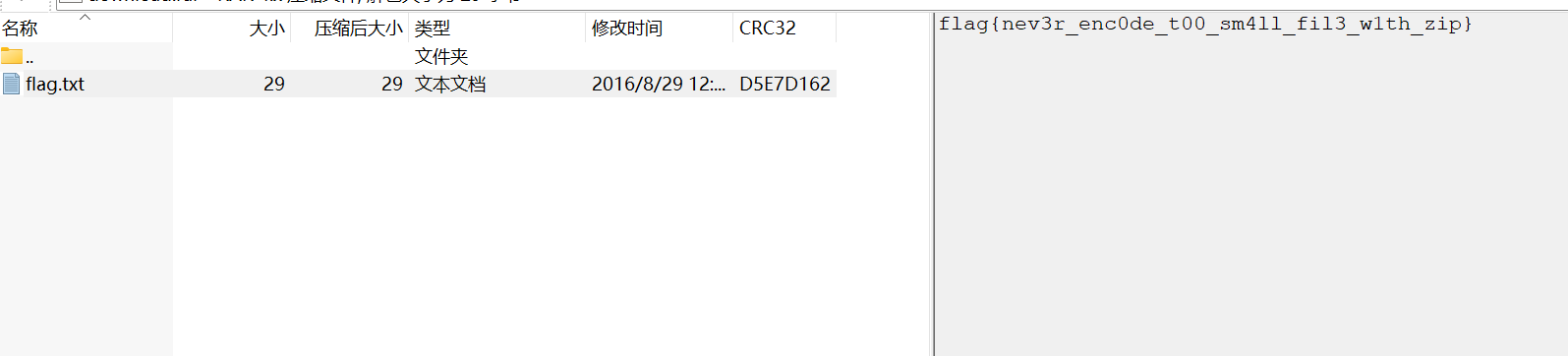
保存之后就可以在文件的注释那里看见我们的flag了
1 flag{nev3r_enc0de_t00_sm4ll_fil3_w1th_zip}
千层套路 题目链接BUUCTF在线评测
拿到附件,发现是一个zip被加密了,想着拿去爆破一下,爆破出来发现是前一个压缩包的文件名,在这之后又试了几个,规律依旧成立,直接用脚本!(我在脚本最后还加了显示解密层级,发现竟然解了470层,好离谱😰)
1
2
3
4
5
6
7
8
9
10
11
12
13
14
15
16
17
18
19
20
21
22
23
24
25
26
27
28
29
30
31
32
33
34
35
36
37
38
39
40
41
42
43
44
45
46
47
48
49
50
51
52
53
54
55
56
57
58
59
60
61
62
63
64
65
66
67
import zipfileimport osimport shutilbase_dir = r"file_path" dest_dir = r"output_path" start_zip = "0573.zip" os.chdir(base_dir) psw = '0573' current_zip = start_zip count = 0 print (f"🚀 开始递归解压..." )while True : try : with zipfile.ZipFile(current_zip, 'r' ) as zf: count += 1 ziplist = zf.namelist() extracted_file = ziplist[0 ] zf.extractall(path='./' , pwd=psw.encode('utf-8' )) print (f"[{count:03d} ] 成功解密: {current_zip} -> 提取出: {extracted_file} " ) if extracted_file.lower().endswith('.zip' ): psw = extracted_file.replace('.zip' , '' ) current_zip = extracted_file else : print ("-" * 40 ) print (f"🎯 到达终点!总共解密了 {count} 层。" ) print (f"最终文件: {extracted_file} " ) src_path = os.path.join(base_dir, extracted_file) dst_path = os.path.join(dest_dir, extracted_file) if not os.path.exists(dest_dir): os.makedirs(dest_dir) shutil.move(src_path, dst_path) print (f"📂 最终文件已存至: {dst_path} " ) break except RuntimeError: print (f"❌ 停止:密码 {psw} 无法解开 {current_zip} (可能已到达非加密层或格式错误)。" ) break except Exception as e: print (f"❌ 发生错误: {e} " ) break print ("程序运行结束。" )
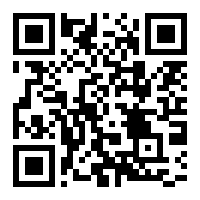
打开最后的.txt发现是一堆255,不用说又是生成QR码,上脚本画图
1
2
3
4
5
6
7
8
9
10
11
12
13
14
15
16
17
18
19
20
21
22
23
24
25
26
27
28
29
30
31
32
33
34
35
36
37
38
39
40
41
42
43
44
45
import reimport mathfrom PIL import Imagefile_path = r"file_path" output_path = "reconstructed_qr.png" def restore_qr (path ): try : with open (path, 'r' , encoding='utf-8' ) as f: content = f.read() pixel_data = re.findall(r'\((\d+),\s*(\d+),\s*(\d+)\)' , content) pixels = [(int (r), int (g), int (b)) for r, g, b in pixel_data] count = len (pixels) if count == 0 : print ("未在文件中找到有效的像素数据!" ) return side = int (math.sqrt(count)) if side * side != count: print (f"提示:总像素点为 {count} ,不是完美的平方数。" ) print (f"尝试按宽度 {side} 进行绘制..." ) img = Image.new('RGB' , (side, side)) img.putdata(pixels[:side*side]) img.save(output_path) print (f"还原成功!图片已保存至: {output_path} " ) img.show() except FileNotFoundError: print (f"错误:找不到文件,请检查路径是否正确: {path} " ) except Exception as e: print (f"运行出错: {e} " ) if __name__ == "__main__" : restore_qr(file_path)
扫描二维码就得到flag
1 MRCTF{ta01uyout1nreet1n0usandtimes}